June Flosshaven updates
A new blog, publications, ability to save AI filter on projects page, download free patterns directly from Flosshaven, share your stithcy stats, and more!
There have been many exciting changes on Flosshaven this month! I share all updates, big and small, on the Discord server as they're added throughout the month, so head on over there if you want to be the first to know what's going on. But read on to get an overview of all the big features that were implemented in June.
Stitchy statistics
I'm cheating a bit, because this was added at the very end of May, but a new feature for your statistics have been added in June.
If you want to share your stitchy stats, you are now able to export both widescreen and instagram-friendly images of your statistics. We'd love to see all your stitching stats over on the Discord!
Added publications to the database
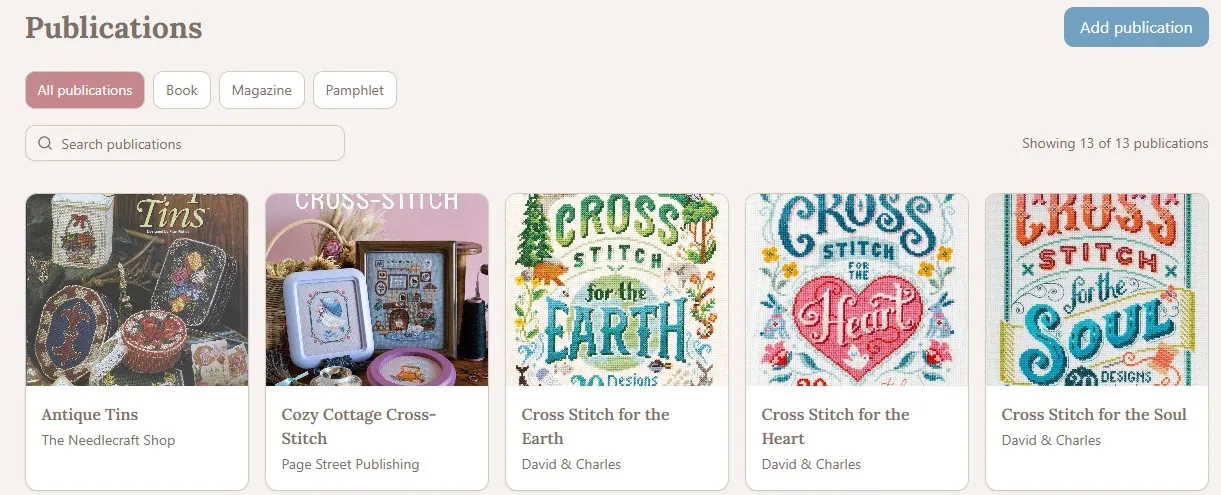
Patterns can now be linked to a publication, such as a book, magazine, or pamhplet. On the publication page you can view patterns and designers featured in the publication and projects linked to patterns.
Download free patterns from Flosshaven
Designers are able to upload their free cross stitch patterns to Flosshaven. When you download a free cross stitch pattern from Flosshaven it will automatically be added to your library and you can create a new project linked to the pattern.
Designers now have more control over their own listings and are able to manage if their pattern information should be editable by all registered users or only themselves and Flosshaven staff. If your profile is linked to a creator page, you can find all your listings in the new "My designs" page under your profile.
Simplified process to claim creator pages
If you're a creator and have not linked your profile to your creator page yet, this process has been simplified. You will be prompted with a self confirmation that you have the right to claim the creator page, add your official e-mail address to get the confirmation link. All claims and e-mails are saved in a log so I can verify ownership claims and investigate abuse if necessary.
Library page has been changed
When you click a pattern card in your Library it will now open a pop up with more information - link to pattern page, download pdf, start new project, and links to all your projects linked to the pattern.
Added a search bar and basic sort/filter to the Library page, but also added Advanced filters. Advanced filter allows you to use all the filters from the patterns page to search and filter your library.
Option to save artwork AI filter
In your account settings you can save your preferred filter for AI artwork in patterns, the filter will be automatically applied when you go to browse patterns. If you scroll to the bottom of the filter options you will be able to temporarily turn off your saved filters.
Comments on projects and patterns
You are able to leave comments on both patterns and projects. Pattern and project owners are able to reply to comments.
Notifications
You can receive notifications when someone comments your project or pattern, replies to your comments, adds your project to their favorites, or adds you to their friends list. You are able to control which notifications you wish to receive in your account settings.
Other small things
I don't remember everything, I have a bery chaotic way of working, jumping from one thing to the next 😅But the things I do remember:
Floss pages have been expanded a little, with brand logos, links and descriptions
You can upload your stitch log via CSV, for instance if you move from tracking your stitches in Notion or Excel to Flosshaven
Added a size calculator to the pattern pages instead of a hardcoded calculation
Added image sorting to patterns and projects, and image comments to projects
Changed some UI here and there
If you have any suggestions or want to see what features are planned and coming next, again, head on over to the Discord server.
Wishin you all a wonderful July!
Log in to react.